


How to Import EML files into Outlook Instantly
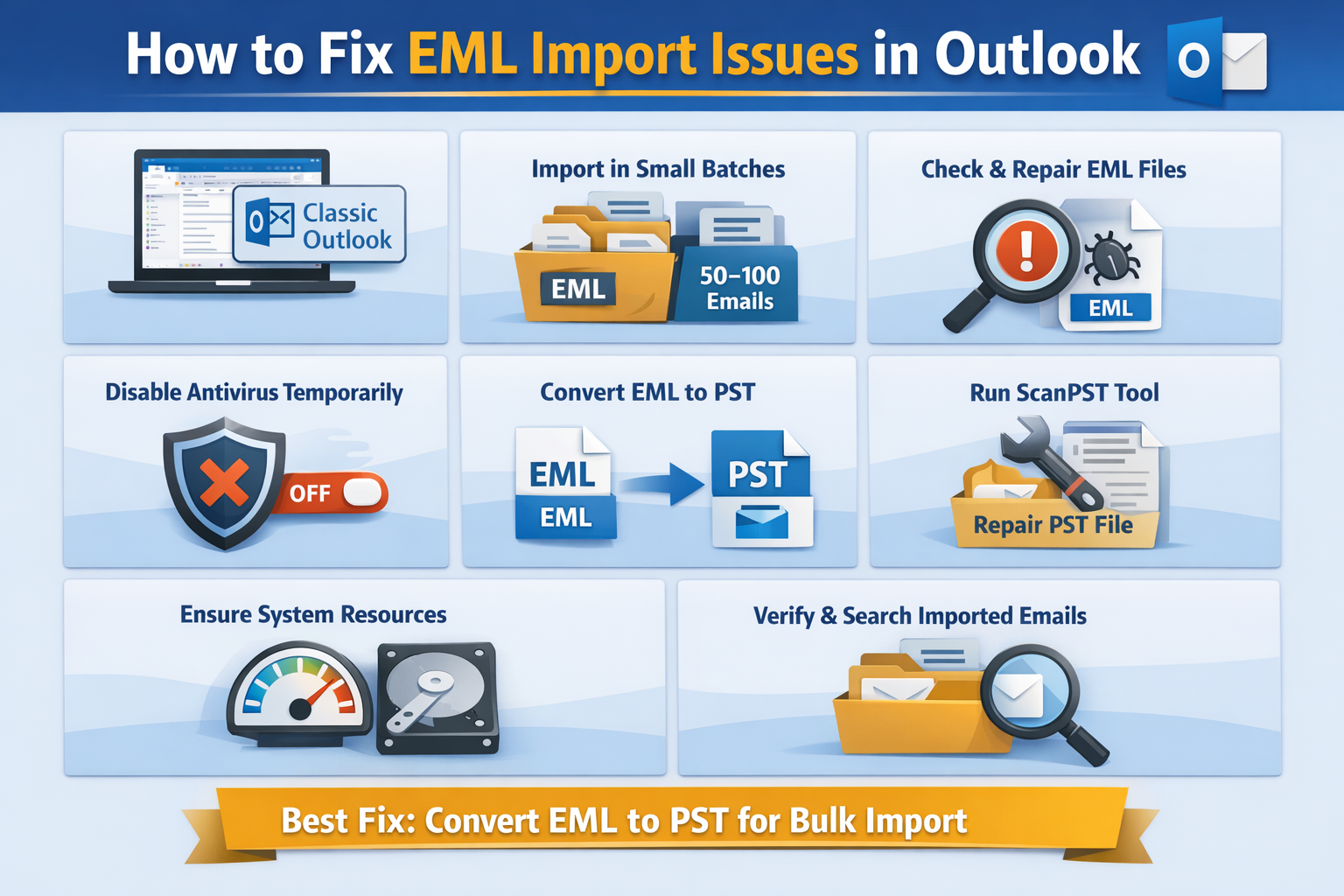
Importing EML files is frequently demanding as Outlook does not have native support for bulk EML imports. Due to format limitations, importing of EML can fail, so to fix this issue, we can ensure using classic Outlook and avoid importing multiple files at once. The user should validate EML files before importing so that the data does not get corrupted. In this article, we are going.to discuss and learn about the challenges, needs, methods, and limitations of importing EML files into Microsoft Outlook.
Common Challenges Faced While Importing EML into Outlook?
The users always face challenges during this process, such as importing EML files into Microsoft Outlook,k following;
Do not support native bulk import, Microsoft Outlook does not have built system to import multiple files at once. They support the drag and drop method and opening EML files individually.
Uncertainty of data loss, corruption, or missing emails, in the manual import process, sometimes some EML files may cause:
-
Failed to import
-
Skipped during drag and drop
-
Sometimes, it becomes unreadable due to file corruption.
Performance issues with large volume
-
Importing a large number eml can lead to;
-
Slowdown of Outlook
-
Consumption of excessive system resources
Manual process is time-consuming; manual procedure refers to the repetition of the same process, which consumes a large amount of time, referring to saving and opening emails. individually and drawing one file folder at a time.
Why do we need to import EML into Outlook?
We need to import EML files into Outlook because Microsoft Outlook offers a more structured and professional atmosphere, which helps to make it a preferred choice by the individual, as it is not designed for long-term management or large-scale usage.
Centralized Email Management
-
It can help to search the emails using Outlook’s advanced search tools
-
Folders, categories,s and flags are used to organize the email
-
Allowing access to all emails from a single mailbox.
Improving Accessibility and Usability
-
You can open emails without relying on external file viewers
-
It accesses the emails offline
-
It helps to sync the data across devices
Enhances data security and backup
-
Avoid corruption, data loss, and data deletion
-
Do not allow unauthorized users access
Migration from other Email client
Migration is one of the most crucial reasons for importing EML files to Outlook, as many broadly used email applications store email in the EML fileformats, where each message is saved as an individual file. So that whenever a user decides to switch to Outlook, importing these EML files becomes important to preserve existing email data.
What is the Method of importing EML files into Classic Outlook?
Method 1: Manual method( Drag and Drop EML files into Outlook)
-
First,y you have to open the classic Microsoft Outlook folder
-
Then one needs to create a new folder or go for the existing one
-
Now, open the folder that contains the EML files
-
You can select one or multiple EML files
-
Then you have to drag and drop the selected EML files into the Outlook folder.
Limitation
-
it do not support bulk import
-
They may lead risk of Outlook with large files
Method 2: Convert EML files to Data file and Import into classic Outlook
-
Primary transfer email message files into PST format.
-
Then open classic Outlook
-
Now, go to the file and open/export, then import/export
-
Select import from another file
-
Now, click on Choose Outlook data file(.pst)
-
Tap on browse and import the pst files
Limitation
-
Large PST files size limitation
-
Time consuming
-
Dependency on Outlook
How to import EML files into New Outlook
New Outlook has very limited support for local data files. New outlook does not directly support the import of EML files into outlook as well as it allow the manual procedure directly( drag and drop method).
Some methods allows import EML files into Outlook.
Method1: Import EML files into classic Outlook first. (Best for users)
-
Firstly, open classic Microsoft Outlook
-
Then import EML files using the by using SysTools EML converter
-
Make sure the mailbox is connected to the same
-
Then go for a switch to New Outlook
-
Now, click on allow the mailbox to sync
Limitation
-
One needs to require the classic outlook on their system
-
Syncing of data cis omplete depends on the internet
Method 2: Transfer EML files to PST and Sync cloud mailbox
-
Primary export email files into PST format
-
Then import the PST into Classic Outlook
-
Now go for uploading emails to a Microsoft
-
And now allow access to synced emails in the new Outlook
Let’s discuss, how to import EML files into web Outlook
Outlook Web is an email-based platform designed to work completely with the cloud mailbox. Web Outlook also does not support the import of EML files directly, as Outlook Web is cloud-based, not file-based, so we use methods or procedures for better understanding.
Method1: Import EML files into classic Outlook and sync to Outlook Web
-
Firstly, open classic Microsoft Outlook
-
Then import EML files through the manual method (drag and drop)
-
Conversion of EML TO PST
-
Then make sure the mailbox is connected to Microsoft
-
Now, allow the mailbox to sync
-
Open Outlook Web and allow access to the imported emails.
-
Open oOutlook Weband access the imported emails
Method 2: Convert EML files to PST and upload Microsoft tools
-
Primary, convert EML to PST format
-
Now, use the Microsoft import service to upload PST files to Microsoft
-
Then access imported emails in Outlook Web
Limitation
-
There is no direct upload option
-
No support for local email files
-
Surely requires intermediate tools or Outlook Desktop.
Conclusion
This article explains how to import EML files into Microsoft Outlook while highlighting the key needs, challenges, methods, and limitations involved. Importing EML files is essential for centralized email management, improved accessibility, and seamless migration from other email clients. However, users often face challenges such as the lack of native bulk import support, risks of data loss, performance issues, and time-consuming manual processes. While manual methods work for limited files, they come with several limitations. Converting EML files to PST and using Classic Outlook remains the most reliable approach for secure and efficient migration. Choosing the right method ensures a smooth, accurate, and hassle-free import experience.

 Arabic
 French
 Spanish
 Portuguese
 Deutsch
 Turkish
 Dutch
Dutch
 Italiano
 Russian
 Romaian
 Portuguese (Brazil)
 Greek
Greek
