


From MBOX to PST: Best Method to Import in Outlook
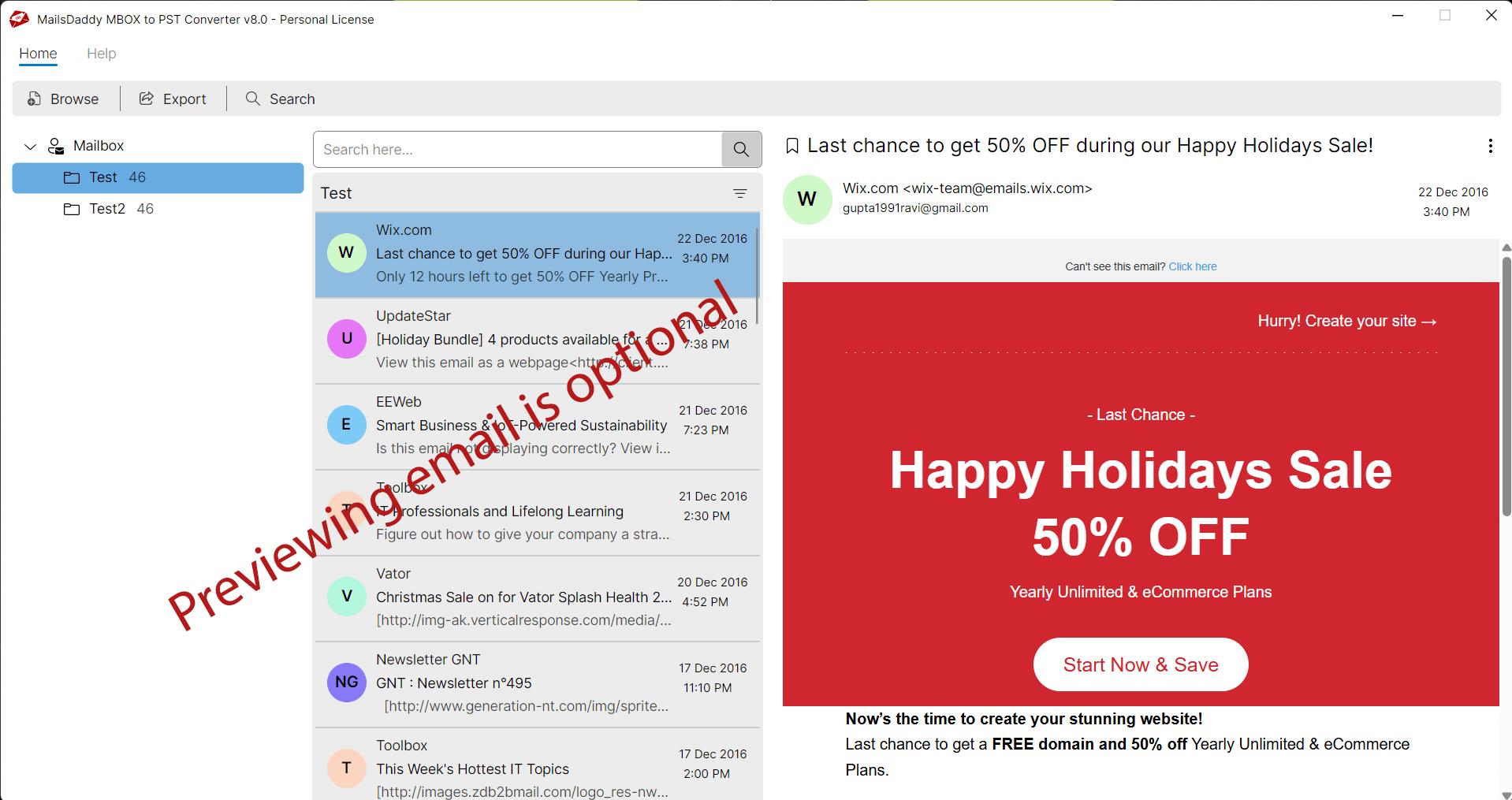
MBOX file is a simple text message that user can even open in Notepad. But this is not a feasible method to find and read email in it. Most user, therefore, search an automated solution to export their mailbox into desire mail format.
In this guide we will explore step-by-step process to convert and import to Outlook from MBOX. We know that most of user want to know the manual method as well, but it is very long and tedious task. Nevertheless, you can read about that process here: How to convert MBOX to PST in 2026?
Automated solution: Import MBOX file to Outlook
Migrating data from one platform to another platform is a very common today. Because lots of business and professional user seek to move their mailbox into affordable and reliable platform.
Converting MBOX to PST is also one of the most frequently searched queries to find a reputed application for this task.
We highly recommend downloading MailsDaddy MBOX to PST Converter tool to export data from MBOX to PST format at once. This user-friendly solution has many advance features that you would be hard-pressed to find in any other application. It effortlessly loads the large mailbox and provides a clear preview of selected email. Using this MBOX converter, user can also transfer data in bulk, selective and using specific filter.
Working steps of MBOX to PST
- Download, install and launch the program in any Windows operating system.
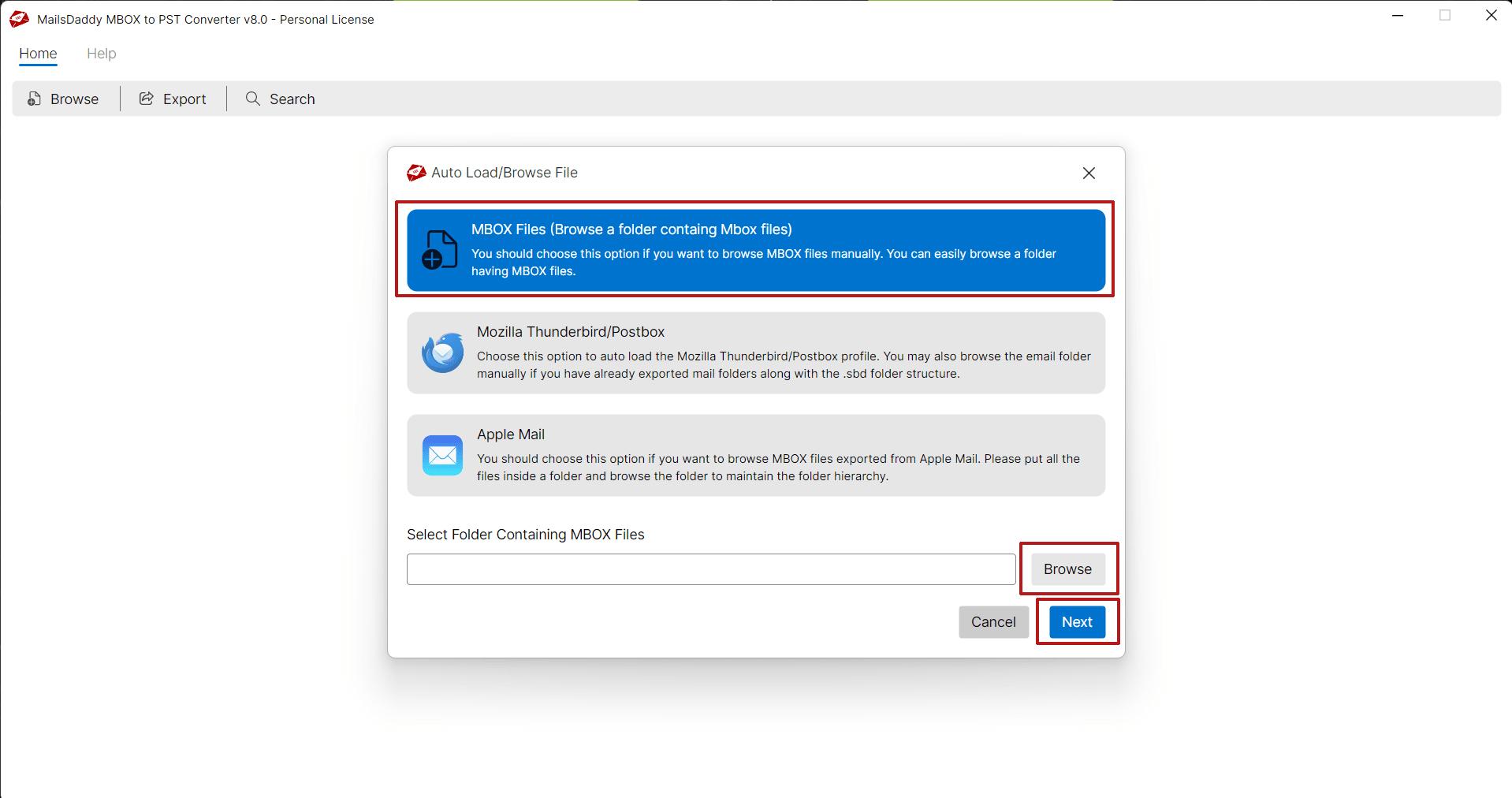
- Click on Add mailbox button and browse MBOX folder which contain mbox file. It allows you to add multiple folders and subfolders at once.
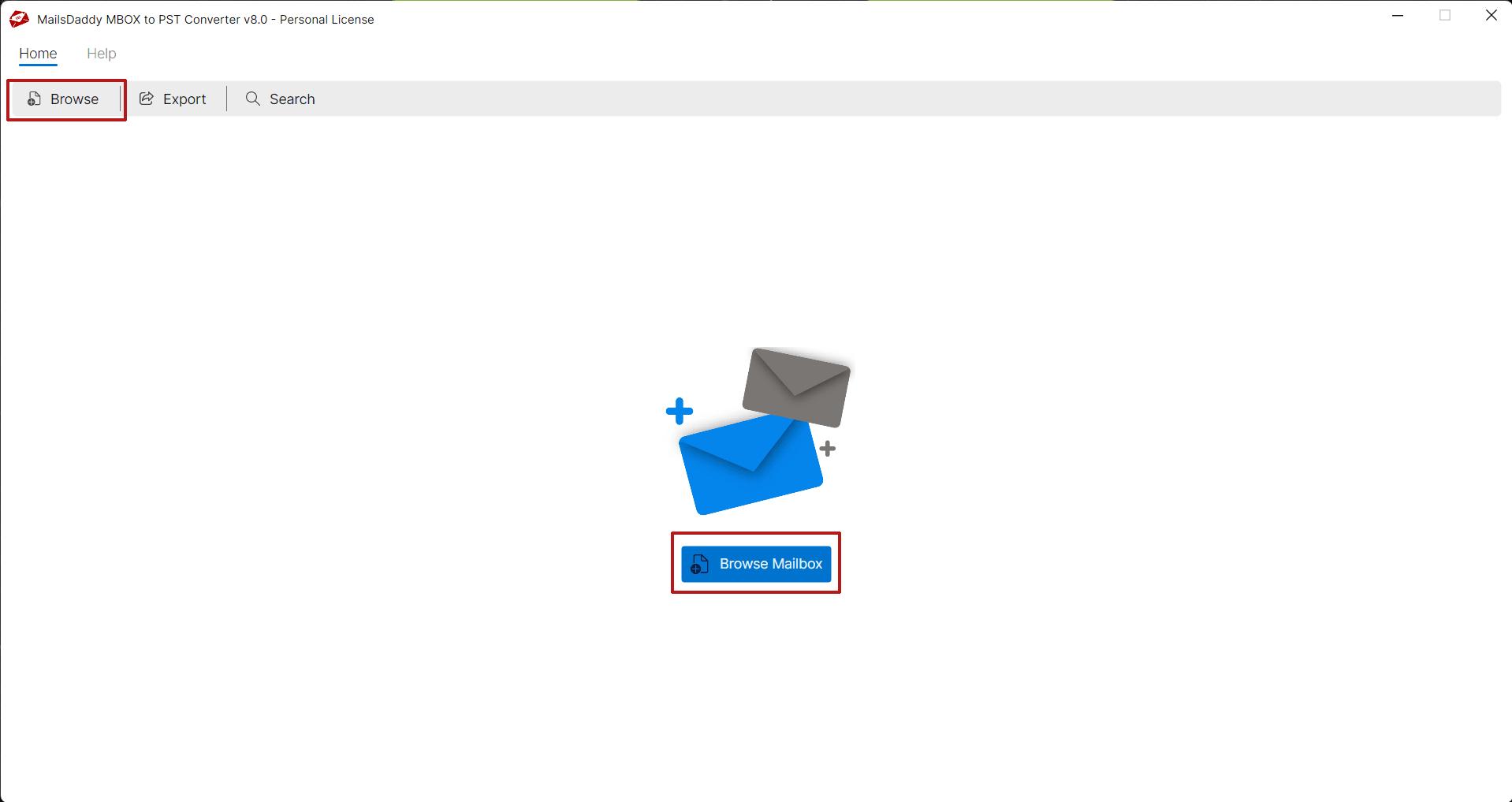
- Click the 'Browse' button to load the mailbox into the software. This allows you to add multiple folders and sub-folders simultaneously.
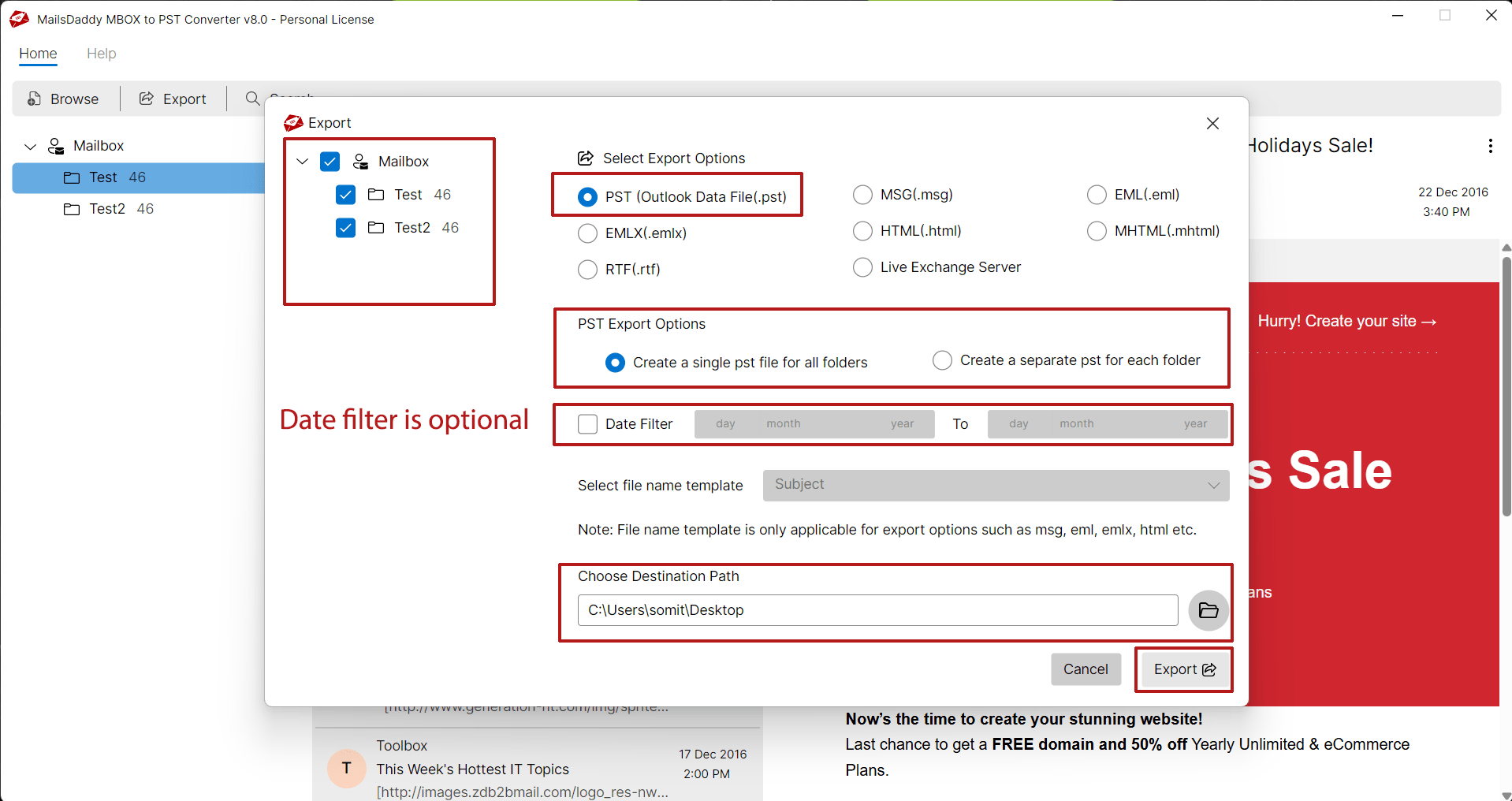
- After adding the mailbox, click the 'Export' button.
- In the Export window, select 'PST for Outlook'. Choose either the 'Single' or 'Separate PST' option for all MBOX files.
- Select a destination location to save the output in PST format.
- Click the 'Export' button to begin the MBOX to PST conversion.
Final Thoughts
In this guide, I have outlined a simple method for converting and importing data from MBOX to PST format. This single application also supports conversion to various other file formats, such as PDF, EML, MSG, HTML, MHTML, and RTF. To test this software, try the evaluation version of this solution and export a few emails from each folder to see how it works.
Other Posts

 English
 Arabic
 French
 Spanish
 Portuguese
 Deutsch
 Dutch
Dutch
 Italiano
 Russian
 Romaian
 Portuguese (Brazil)
 Greek
Greek
