


Field Workforce Management Software Development: Features, Cost & ROI
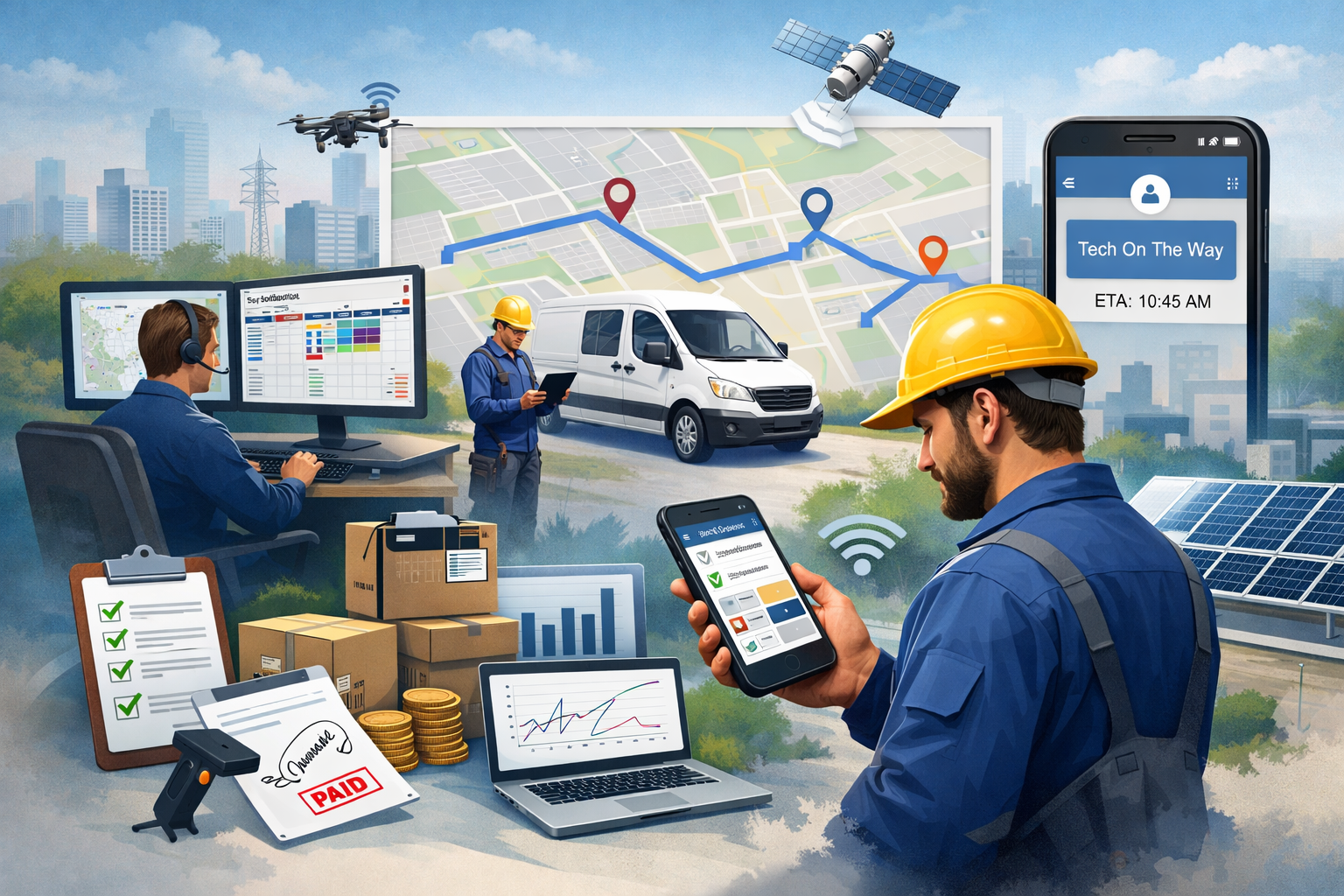
Field workforce management software development refers to building a centralized digital system that helps businesses manage on-ground teams such as technicians, delivery staff, service engineers, sales reps, inspectors, and maintenance crews. It combines scheduling, dispatch, route planning, job tracking, real-time reporting, workforce communication, customer updates, and payroll-ready timesheets into one connected platform.
In 2026, businesses are no longer competing only on service quality. They are competing on service speed, technician productivity, and customer experience. A field workforce operation that relies on manual scheduling, spreadsheets, calls, WhatsApp updates, and disconnected tools creates delays, miscommunication, revenue leakage, and higher churn. That is why field workforce management software development is now viewed as a direct growth investment rather than an internal operational tool.
The modern field workforce is also more complex than ever. Teams are distributed across cities and regions. Customers expect accurate arrival times, live tracking, and fast resolution. Businesses need proof of work, compliance documentation, photo evidence, digital signatures, and instant invoicing. All of this must happen while controlling fuel costs, overtime, technician idle time, and repeat visits.
A well-designed solution transforms operations into a predictable, measurable, and scalable system. It improves productivity, reduces operational waste, increases job completion rates, and creates a better customer experience. This is why more enterprises are investing in field workforce management software development instead of patching together multiple tools.
Key Business Problems That Field Workforce Management Software Solves Across Industries
Field teams face challenges that are invisible to office teams until they become expensive. The biggest problem is not that technicians are slow, but that the workflow is inefficient. The wrong technician gets assigned. A job is scheduled too far away. Parts are missing. Customer information is incomplete. The technician reaches the site and realizes the job requires additional approvals or compliance steps. The team wastes time, and the customer loses trust.
Field workforce management software development solves these issues by building structure into the workflow. It ensures every job is created with complete information, assigned to the right person based on skill and location, and tracked from dispatch to completion. It also ensures managers can see where teams are, what jobs are delayed, and what the actual productivity levels look like.
Industries such as home services, telecom installation, facility management, healthcare home visits, logistics, field sales, construction inspections, and utility maintenance benefit significantly. The software also reduces the pressure on dispatch teams. Instead of managing dozens of phone calls and manual rescheduling, the system automatically suggests assignments, routes, and schedules based on live field availability.
Another major benefit is customer experience. Customers do not want vague time windows. They want updates, arrival predictions, and transparency. Field workforce management software enables these customer-facing improvements while also increasing internal accountability.
Core Modules Required in Field Workforce Management Software Development for a Complete System
A high-performing system is not a single feature. It is a set of connected modules that work together. Field workforce management software development typically includes job creation, workforce scheduling, dispatch management, technician mobile app, real-time tracking, work order execution, reporting, and integrations.
A complete system ensures the office team, the field team, and the customer are aligned. The dispatch team can create jobs and assign them. Technicians can view tasks, update statuses, upload proof, and generate service reports. Managers can track performance and bottlenecks. Customers can receive updates and service confirmations.
The most important part is the connection between these modules. If the scheduling module is strong but the mobile app is weak, technicians will not update job statuses properly. If tracking is available but reporting is weak, managers cannot improve operations. If integrations are missing, invoices and payroll remain manual.
That is why field workforce management software development must be approached as an end-to-end operational product rather than a basic tracking app.
Job Scheduling and Dispatch Features That Directly Improve Productivity and Reduce Delays
Scheduling and dispatch are the heart of field operations. If this layer is inefficient, every downstream activity becomes slower and more expensive. A strong scheduling system allows managers to allocate jobs based on technician skills, certifications, workload, location, priority level, and availability.
Dispatching should support both manual assignment and intelligent recommendations. Manual dispatch is needed for complex jobs and high-value clients. Smart dispatch is essential when the business scales and job volumes increase. The software should also support emergency jobs, reassignments, cancellations, and rescheduling without breaking the workflow.
A modern field workforce management system must handle recurring jobs such as monthly maintenance, periodic inspections, and subscription-based services. It should also support service-level agreements where job deadlines and response times are contractually defined.
When scheduling is built correctly during field workforce management software development, businesses typically reduce idle time, improve technician utilization, lower fuel costs, and increase daily job completion counts.
Technician Mobile App Features That Determine Adoption and Real-World Success
A field workforce platform is only as effective as its mobile app. The mobile app is where technicians see job details, navigate routes, communicate with the office, capture proof of work, and close tasks. If the mobile experience is slow, confusing, or unreliable, technicians will avoid it, and managers will lose visibility.
A strong mobile app includes job lists, job detail views, customer contact information, location maps, checklist-based workflows, and step-by-step task execution. It should allow technicians to update job statuses such as en route, arrived, in progress, pending parts, and completed.
Offline functionality is critical because technicians often work in areas with weak network coverage. The app should allow work progress updates, photos, and signatures to be captured offline and synced automatically once the network returns.
Another key feature is time tracking. The mobile app should capture start time, end time, break time, and travel time. This creates accurate payroll and job costing data.
Field workforce management software development must treat the technician app as a first-class product, not an add-on.
Real-Time GPS Tracking, Route Optimization, and Location Intelligence Features
Real-time tracking is not only about seeing where technicians are. It is about making decisions based on location intelligence. A modern platform should track live location during working hours, show job routes, estimate arrival times, and help dispatchers make better assignments.
Route optimization helps reduce fuel costs and travel time. It also improves customer satisfaction by making arrival times more accurate. In multi-stop operations, route planning becomes a major competitive advantage.
Location intelligence also helps identify operational patterns. For example, managers can analyze which areas generate more repeat visits, which regions have higher delays, and which technicians spend too much time traveling.
Field workforce management software development should also include geo-fencing features. These features can automatically log when a technician arrives at a site and when they leave. This adds accuracy to timesheets and job logs.
In many industries, tracking also helps prevent fraud, reduces disputes, and improves accountability.
Work Order Management and Proof of Service Features That Reduce Disputes and Improve Compliance
Work order management ensures every job is documented, executed, and closed in a structured way. This includes capturing customer requirements, service steps, checklists, parts used, and technician notes.
Proof of service is one of the most valuable components. Customers and businesses need evidence that work was completed. The software should support photo uploads, before-and-after images, document attachments, digital signatures, and service completion notes.
In industries such as facility maintenance, telecom installation, and home services, proof of service directly reduces disputes. Customers cannot claim work was not completed when signed service reports and images are stored in the system.
Compliance is another major factor. Many jobs require safety checks, certifications, equipment inspection logs, and regulated documentation. Field workforce management software development should include customizable forms and mandatory checklist steps that cannot be skipped.
This ensures technicians follow standard operating procedures and reduces legal and compliance risks.
Inventory, Spare Parts, and Field Asset Tracking Features for Service-Based Businesses
Many field jobs fail because technicians arrive without the right parts or tools. This creates repeat visits, delays, and customer frustration. A strong field workforce system should include inventory tracking features that connect jobs with required parts.
Technicians should be able to check parts availability, request parts, and record parts usage during job completion. The platform should support van stock management where each technician’s vehicle inventory is tracked.
Field asset tracking is also important. Businesses need to track equipment such as routers, meters, sensors, tools, and devices installed at customer sites. The system should log serial numbers, installation dates, warranty information, and maintenance history.
Field workforce management software development that includes inventory and asset tracking helps reduce repeat visits, improves first-time fix rates, and increases customer satisfaction.
Workforce Communication and Collaboration Features That Keep Operations Aligned
Field teams operate in dynamic environments. Jobs change, customers reschedule, and emergency tasks appear. Communication gaps between dispatchers and technicians cause delays and confusion.
A modern platform should include in-app messaging, job-based notes, broadcast alerts, and escalation workflows. Communication should be linked to specific jobs so that technicians do not lose critical instructions in personal chat apps.
The platform should also support supervisor collaboration. For example, if a technician needs help, they should be able to request remote assistance, share photos, and get instructions from an expert.
Field workforce management software development must ensure communication is fast, searchable, and structured. This reduces errors, improves response times, and strengthens operational discipline.
Customer Notifications, ETA Updates, and Service Transparency Features That Improve Satisfaction
Customers expect transparency in 2026. They want to know when a technician will arrive, whether the technician is delayed, and what work is being performed. Field workforce platforms should provide automated customer notifications through SMS, email, or app alerts.
The system should share technician arrival windows, live tracking links when needed, and service completion confirmations. Customers should also receive digital service reports and invoices after the job is completed.
Service transparency improves trust. It reduces cancellations, improves customer satisfaction scores, and increases repeat business. It also reduces inbound calls because customers do not need to call the support team for updates.
Field workforce management software development should include customer experience features as a core component, not as an optional add-on.
Analytics, Reports, and KPI Dashboards That Help Management Improve ROI
A field workforce system generates operational data that can be used to improve performance. Without analytics, businesses can only guess what is happening in the field.
A strong reporting module includes job completion rates, technician utilization, average travel time, average job duration, first-time fix rate, repeat visit rate, cancellation rates, SLA compliance, and customer satisfaction indicators.
The system should allow managers to compare technician performance fairly. It should also highlight bottlenecks such as parts shortages, scheduling inefficiencies, and high-delay regions.
Field workforce management software development should include both real-time dashboards and historical reports. Real-time dashboards help dispatchers manage daily operations. Historical reports help leadership make strategic decisions such as hiring, training, and territory optimization.
When reporting is implemented properly, businesses can continuously improve field performance instead of relying on manual audits.
Security, Data Privacy, and Role-Based Access Features for Enterprise-Grade Platforms
Field workforce platforms handle sensitive data such as customer addresses, technician location tracking, job notes, and payment-related records. This makes security a core requirement.
Role-based access control ensures employees only see what they are authorized to access. Dispatchers may need job assignment access, while technicians only need their own job details. Managers may need reporting access, while finance teams need invoice and payroll data.
The system should also support audit logs, data encryption, secure authentication, and device-level protections for mobile apps.
For enterprises, field workforce management software development should include compliance with relevant data privacy regulations depending on the region. Even for smaller businesses, security reduces risk and increases customer trust.
Integrations That Make Field Workforce Management Software a Complete Business System
A field workforce platform cannot operate in isolation. It must integrate with CRM systems, ERP platforms, accounting software, payroll tools, customer support systems, and payment gateways.
Integrations ensure data flows automatically between departments. For example, completed jobs should trigger invoice creation. Timesheets should feed payroll. Customer records should update in the CRM. Support tickets should link to job history.
Payment integration is especially important for service businesses that collect payments after job completion. The system should support digital payments, invoice generation, and receipts.
Field workforce management software development should plan integrations early. If integrations are treated as an afterthought, businesses end up with disconnected systems and manual workarounds.
AI and Automation Trends in Field Workforce Management Software Development for 2026
AI is increasingly used in field workforce operations to improve decision-making. AI-based dispatch recommendations can assign the right technician based on job type, location, and performance history. AI can also predict job duration based on past data and estimate more accurate ETAs.
Automation reduces repetitive tasks for dispatchers. For example, the system can automatically assign jobs, send notifications, and trigger escalation workflows when SLAs are at risk.
Predictive maintenance is another emerging trend. In industries such as utilities and equipment servicing, the system can analyze service history and recommend maintenance before breakdowns occur.
AI also improves quality control. For example, the platform can flag incomplete job reports, missing photos, or abnormal job durations.
Field workforce management software development in 2026 should include AI readiness, even if AI features are rolled out in phases.
Field Workforce Management Software Development Cost Breakdown and Pricing Factors
The cost of field workforce management software development depends on scope, complexity, platform type, and integrations. A simple MVP for a small team is significantly cheaper than an enterprise-grade platform with advanced analytics, AI dispatch, multi-region support, and deep ERP integrations.
Cost is influenced by the number of user roles such as admin, dispatcher, supervisor, technician, customer portal users, and finance staff. It is also influenced by mobile app requirements, offline functionality, and tracking features.
A basic MVP typically includes job management, scheduling, a technician mobile app, GPS tracking, and basic reporting. A mid-level product adds customer notifications, inventory tracking, and deeper analytics. An enterprise platform includes multi-tenant support, custom workflows, advanced security, and complex integrations.
Field workforce management software development costs also increase when businesses require custom UI, multi-language support, complex approval workflows, and region-specific compliance features.
Another major cost driver is ongoing maintenance. Field workforce platforms require continuous updates for mobile OS changes, security patches, new features, and scalability improvements.
Typical Development Timelines and What Impacts Speed to Launch
Development timelines depend on whether you are building from scratch or customizing an existing foundation. A lean MVP can be delivered faster when the scope is focused and the workflow is clearly defined.
The timeline is influenced by how many modules are included, how complex the dispatch logic is, whether route optimization is built in, and how many third-party integrations are required.
Mobile app development can also extend timelines, especially when offline support and real-time sync are required. Testing time increases when GPS tracking, map features, and multi-role workflows are involved.
A realistic approach is to launch in phases. Phase one focuses on job management, scheduling, and the technician app. Phase two adds analytics, inventory, and customer transparency features. Phase three introduces AI and deeper integrations.
Field workforce management software development is most successful when speed is balanced with reliability. Launching quickly is valuable, but field operations cannot afford unstable systems.
How to Calculate ROI from Field Workforce Management Software Development in a Realistic Way
ROI is one of the strongest arguments for investing in this software, but it must be calculated realistically. The return comes from cost savings, productivity improvements, and revenue growth.
Cost savings include reduced fuel expenses through route optimization, reduced overtime through better scheduling, and fewer repeat visits due to improved first-time fix rates. It also includes reduced administrative work because dispatchers no longer manage everything manually.
Productivity improvements include more jobs completed per day per technician, faster job closure, and improved technician utilization. When technicians spend less time traveling and waiting, they complete more jobs and generate more revenue.
Revenue growth comes from better customer satisfaction, higher retention, and the ability to scale operations without increasing management headcount at the same rate. The system also enables faster invoicing, which improves cash flow.
Field workforce management software development also reduces revenue leakage. Many businesses lose money because job completion is not recorded properly, parts usage is not tracked, and invoices are delayed. A connected system fixes these leaks.
A well-implemented platform often pays back within months, especially for businesses with large field teams and high job volumes.
Common Mistakes to Avoid During Field Workforce Management Software Development
One of the most common mistakes is building a feature-heavy platform without validating the workflow. Field operations are complex, and adding too many features too early creates confusion and slows adoption.
Another mistake is ignoring technician usability. If the mobile app is difficult to use, technicians will not update job statuses, and the system will fail.
Poor integration planning is another issue. If the platform cannot connect to accounting, CRM, or payroll tools, the business will still rely on manual processes.
Many businesses also underestimate the importance of offline support. Field teams often work in low-network areas. Without offline capabilities, job updates become inconsistent.
Finally, companies sometimes focus only on tracking. Tracking is useful, but without scheduling logic, proof of work, inventory tracking, and analytics, the platform does not deliver full ROI.
Field workforce management software development succeeds when it is built around real operational workflows, not assumptions.
Best Approach to Build Field Workforce Management Software for Startups and Enterprises
Startups typically need speed, affordability, and a focused feature set. Their best approach is to build an MVP with job scheduling, technician app, tracking, and basic reporting. Once they validate the workflow and improve adoption, they can expand modules.
Enterprises require scalability, security, compliance, and deep integrations. Their best approach is to build a modular platform with role-based access, multi-region support, advanced reporting, and enterprise-grade infrastructure.
Both startups and enterprises should invest in discovery and workflow mapping. This ensures the software matches real operational needs.
Field workforce management software development should also include a long-term roadmap. This helps businesses plan feature upgrades, AI adoption, and new integration requirements over time.
Conclusion
Field workforce management software development is one of the highest-impact investments for businesses that rely on on-ground teams. It improves scheduling, dispatch, technician productivity, customer transparency, compliance, and reporting. It also reduces operational waste, repeat visits, and revenue leakage.
A well-built platform delivers measurable ROI through cost savings, faster service delivery, higher customer satisfaction, and scalable operations. The most successful solutions are built with strong mobile usability, real-time visibility, proof of work, and integration-ready architecture.
FAQs
What is field workforce management software development and who needs it?
Field workforce management software development is the process of building a digital platform that helps businesses schedule, dispatch, track, and manage field employees. It is essential for industries like home services, telecom, logistics, utilities, facility management, and any business that delivers services at customer locations.
How much does field workforce management software development cost?
The cost depends on features, number of user roles, mobile app complexity, GPS tracking requirements, and integrations. A basic MVP costs significantly less than an enterprise-grade system with advanced analytics, multi-region support, AI dispatch, and ERP integration.
What are the most important features in a field workforce management platform?
The most important features include job scheduling, dispatch management, technician mobile app, GPS tracking, proof of service, offline functionality, customer notifications, analytics dashboards, and api integrations with CRM and accounting tools.
How does field workforce management software improve ROI?
It improves ROI by reducing travel time, lowering fuel costs, decreasing overtime, improving first-time fix rates, increasing daily job completion, reducing admin workload, and enabling faster invoicing and better customer retention.
How long does it take to build a field workforce management software solution?
Timelines depend on scope and complexity. A focused MVP can be launched faster, while a full enterprise-grade platform takes longer due to advanced features, integrations, security, and scalability requirements.
Can field workforce management software integrate with CRM and accounting tools?
Yes. Most modern solutions are designed to integrate with CRM platforms, accounting software, payroll tools, customer support systems, and payment gateways to automate workflows and reduce manual data entry.
Why is a technician mobile app critical for field workforce management software development?
The technician mobile app is where field work is executed and recorded. If the mobile experience is poor, adoption fails and managers lose visibility. A strong app improves job execution, proof capture, time tracking, and communication.

 English
 Arabic
 French
 Spanish
 Portuguese
 Deutsch
 Turkish
 Dutch
Dutch
 Italiano
 Russian
 Romaian
 Greek
Greek
