


Thunderbird Emails Disappearing from Inbox – Causes & Fixes
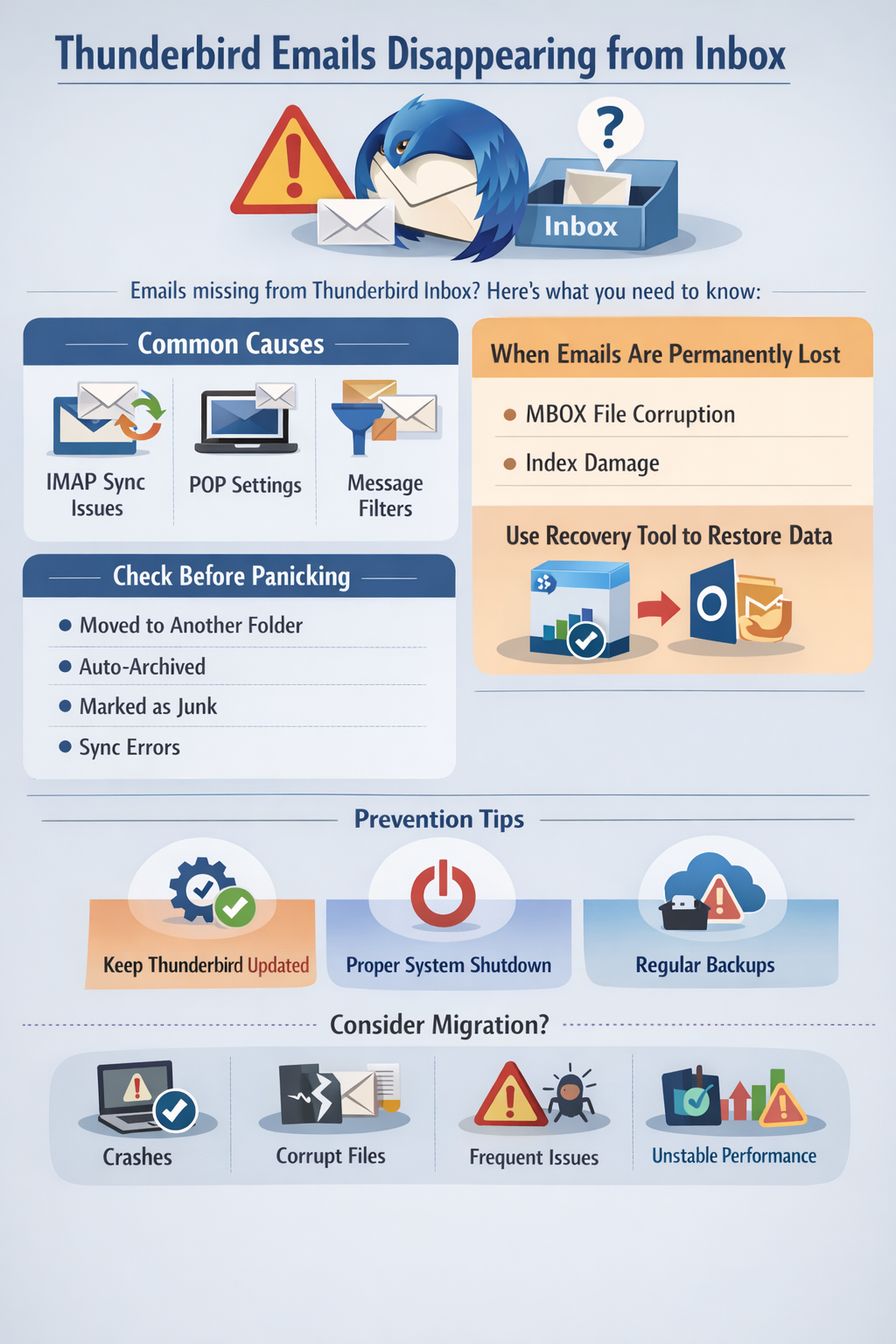
Thunderbird emails disappearing from inbox are often caused by an IMAP connection error or incorrect POP settings, filter messages, or MBOX file corruption. When Thunderbird emails disappearing from inbox its does not mean the emails are permanently deleted. In such cases, checking the folder settings, repairing the inbox, reviewing filters, and correcting account configuration can help to restore them again.
Thunderbird emails disappearing from Inbox
Thunderbird emails disappearing from the inbox; it is crucial to address the issue immediately. This situation can disrupt communication, delay work, and create unnecessary problems. However, in most cases, the emails are not permanently deleted. They can typically be moved to another folder, hidden due to sync issues caused by improper compaction, or impacted by mailbox corruption. Identifying the root cause frequently is essential to prevent data loss and restore normal email and functionality.
Why are Thunderbird emails disappearing from Inbox?
There are multiple reasons why emails can disappear from your thunderbird
Inbox. In most cases, the messages are not permanently deleted but are either moved, hidden, unsynchronized, or affected by technical issues within the application. Without understanding and identifying the root cause, users may apply incorrect fixes or resolutions, which may worsen the situation and lead to permanent data loss or data corruption. In multiple cases problem can be caused by MBOX file corruption or a damaged index. As Thunderbird stores all the index emails in a single MBOX file, even minor corruption can affect the visibility of multiple messages. Some major reasons cause the Thunderbird emails disappearing from inbox
-
IMAP synchronization issues
Emails can disappear
Gmail auto-archived message
Misconfigured settings are syncing
They were deleted from another device
Quota of the mailbox is exceeded.
-
POP Account Setting
When using the POP configuration, emails are downloaded directly to your local system, which can sometimes cause Thunderbird emails to disappear from theinbox under certain conditions.
The message filter automatically moves the email
Thunderbird filter can automatically move incoming emails to:
- Archive
- Local folders
- Custom folder
- junk/spam
- Emails Moved to Archive or Trash
The very first and most important step is to check whether the emails have been moved rather than deleted. In multiple cases, messagesare not permanently lost or deleted.
What are the common reasons emails are moved
- Accidental archiving
- Sent to trash
- Marked as junk
- Drag and drop into another folder
What if emails are permanently lost?
In serious but rare situations, Thunderbird emails may disappearing from inbox, which may indicate mailbox corruption rather than simple movement or sync issues.
Thunderbird email disappearing from inbox; it is often a sign of deeper technical problems rather than accidental deletion. Thunderbird stores inbox emails inside a single MBOX file, and if this file becomes damaged or corrupted, the entire folder can be affected, making messages inaccessible or completely invisible within the application.
How to Deal with Such Situations/Cases?
- Restore from backup (only if available)
- Use a professional Tool such as SysTools MBOX Converter Software
- Convert the corrupted file into PST to access the email in Outlook.
Note: How to Convert MBOX to PST
How to Prevent Disappearing Messages in the Future?
Preventing Thunderbird emails disappearing from Inbox is easier than recovering lost data. By understanding a few maintenance practices, you can critically reduce the risk of coincident error, mailbox corruption, and loss of email.
-
Using an updated Thunderbird
It is a suggestion to always use the latest version of Thunderbird, which can help to prevent bug fixes, security patches, and performance improvements that help to Avoid mailbox corruption and synced issues. Running outdated versions can create compatibility problems with email servers.
2 Ensuring proper system shutdown
Since Thunderbird stores multiple emails in a single folder, disturbance. During syncing or compaction, corruption can occure and then this corruption is one of the crucial. The reason why Thunderbird's email disappears from inbox
3. Maintain Regular Backups
Proper and regular backup of Thunderbird can help to recover disappeared emails due to corruption or accidental deletion. One can immediately restore the data without any permanent loss issues.
When should we consider migration?
We should consider migrating Thunderbird often.
- Crashes
- Corrupted mailbox files
- Show disappearing emails
- Becomes unstable
Conclusion
Thunderbird emails disappearing from inbox can be caused by sync issues, filters, compaction, antivirus interference, or MBOX corruption. In many cases, emails are not permanently lost and can be restored by repairing folders or adjusting settings. However, if corruption is severe, using a reliable recovery or conversion solution is the safest way to protect your data.

 English
 Arabic
 French
 Spanish
 Portuguese
 Deutsch
 Turkish
 Italiano
 Russian
 Romaian
 Portuguese (Brazil)
 Greek
Greek
