


How Does Preventative Maintenance Software Centralize Facility Management Data?
Facility management can feel messy. There are work orders, repair logs, vendor contacts, asset lists, safety checks, and more. Many teams keep this data in paper files, emails, or spreadsheets. Some details sit in someone’s head. Other details get lost over time.
When data is spread out like this, problems grow fast. Tasks are missed. Repairs take longer. Costs rise. Teams argue about what was done and when. Managers cannot see the full picture.
This is where software makes a real difference. It brings everything into one place. It turns scattered details into clear, organized records. Let’s look at how this works and why it matters.
All Information Lives in One System
The first big change is simple. Instead of using many tools, the team uses one system.
Every asset has a record. Every work order has a record. Every repair note is saved in the same place. This means no more searching through emails or digging through file cabinets.
When a manager logs in, they can see:
-
Equipment lists
-
Service history
-
Open tasks
-
Completed jobs
-
Parts used
-
Costs tied to each asset
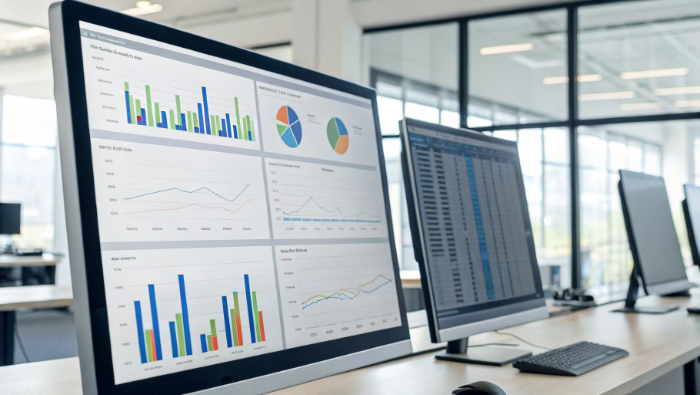
All of this sits in one dashboard. Nothing is hidden. Nothing is scattered.
Because the data is stored in one system, it becomes the single source of truth. Everyone looks at the same numbers. This reduces confusion and mistakes.
Asset Records Stay Complete and Updated
Facilities have many assets. These include HVAC units, elevators, pumps, lighting systems, and safety equipment. Each asset needs care.
When information is not centralized, teams may forget when something was last serviced. They may not know how old a machine is. They may not see patterns of repeated breakdowns.
With software, each asset has its own profile. Inside that profile, you can see:
-
Installation date
-
Warranty details
-
Service schedule
-
Repair history
-
Notes from technicians
Every time work is done, the record updates. Over time, this creates a full story for each asset.
Because everything is stored together, managers can quickly check the health of equipment. They do not need to call three people for answers. The data is already there.
Work Orders Flow Into One Place
Work orders are the heart of facility operations. They show what needs to be fixed, who is doing it, and when it will be done.
In many buildings, work orders come from phone calls, sticky notes, or hallway talks. This causes delays and lost requests.
Software fixes this by sending all work requests to one system. Whether the request comes from a staff member or a tenant, it lands in the same place.
From there, managers can:
-
Assign the job
-
Set a due date
-
Track progress
-
Close the task when done
Each step is recorded. This means the system keeps a full log of every job.
Because all work orders are stored together, reports become easy to create. Managers can see how many tasks are open. They can see which ones are late. They can also see how long jobs take on average.
This helps them improve planning and staffing.
Preventive Schedules Stay Organized
Preventive maintenance means fixing things before they break. This requires good planning.
Without a central system, teams often rely on memory or paper calendars. This leads to missed inspections and late servicing.
Software keeps all preventive tasks in one calendar. It reminds teams when work is due. It can even create work orders automatically.
Teams use preventative maintenance software to keep schedules clear and avoid surprise breakdowns. As the schedule is tied to asset records, every completed task updates the system. This means service history stays accurate without extra work.
All preventive tasks, past and future, stay visible in one place. Managers do not need to guess what was done. They can see it.
Inventory and Parts Data Connect to Work Orders
Facility operations also include spare parts and supplies. If parts are not tracked, teams may run out at the worst time.
Software connects inventory data to work orders. When a technician uses a part, the system records it. Stock levels update automatically.
Managers can see:
-
Current stock levels
-
Reorder points
-
Parts linked to specific assets
-
Usage trends
Because this data connects to maintenance history, managers can predict future needs.
All supply data sits in the same system as asset data and work orders. This creates one complete picture.
Vendor and Contractor Details Stay in One Database
Facilities often work with outside vendors. These vendors handle repairs, inspections, and special services.
If vendor data is stored in email chains or paper files, it becomes hard to manage.
Software stores vendor contact details, service contracts, and performance notes in one place. When a job is assigned to a contractor, that information links directly to the work order.
This makes it easy to check:
-
Past work done by the vendor
-
Costs tied to that vendor
-
Response times
-
Contract details
Everything stays connected. This saves time and avoids repeated questions.
Reports Pull From One Data Source
Reports are only useful when the data behind them is correct.
When information is scattered, reports are often wrong. Numbers may not match. Details may be missing.
With centralized data, reports are pulled from one system. This means:
-
Maintenance costs are accurate
-
Downtime numbers are correct
-
Labor hours are tracked
-
Asset performance is clear
Managers can use these reports to make smart decisions. They can see which assets cost the most. They can spot trends early. They can plan budgets with confidence.
Because all records sit in one place, reports become fast and simple.
Teams Work From the Same Information
Good communication depends on shared information.
When one person updates a file but another does not see it, mistakes happen. Two people may work on the same issue. Or no one may work on it at all.
Centralized software fixes this problem. Everyone logs into the same system. When a technician updates a task, the update appears instantly.
This means:
-
Supervisors see progress in real time
-
Staff know their assignments
-
Managers see open issues right away
Because everyone uses the same platform, there is less confusion.
Mobile Access Keeps Data Live
Facility teams do not sit at desks all day. They move around buildings.
Modern systems allow technicians to use mobile devices. They can open work orders, add notes, and close tasks from the field.
This keeps data fresh and accurate. There is no delay between work done and data recorded.
When updates happen right away, the system always reflects the current state of the facility.
Long-Term Data Builds a Clear History
Over time, centralized data becomes very powerful.
After one year, the system shows patterns. After three years, it shows trends. Managers can see which assets break often. They can see seasonal changes. They can see cost growth.
This long-term history helps with planning.
Instead of reacting to problems, teams can prepare for them. They can replace assets at the right time. They can adjust budgets based on real numbers.
Because all records have stayed in one system, this history is complete and reliable.
Compliance and Audits Become Easier
Many facilities must follow safety rules and inspection laws.
When audit time comes, managers need proof. They must show service logs, inspection records, and repair details.
If data is scattered, this becomes stressful.
With centralized software, every record is already stored. Reports can be printed in minutes. Inspectors can see clear timelines of maintenance work.
This reduces stress and saves time.
Clear Visibility for Leadership
Leaders often want quick answers:
-
How much are we spending on repairs?
-
Which buildings need the most attention?
-
Are preventive tasks being completed?
When data is centralized, these answers are easy to find.
Dashboards show key numbers at a glance. Leaders do not need to dig through files. They can see the full picture right away.
This visibility builds trust. It also supports smarter decisions.
Final Thoughts
Facility management involves many moving parts. Without a central system, those parts drift apart. Software solves this by bringing everything together. Asset records, work orders, schedules, inventory, vendor details, and reports all live in one place.
When data is centralized, teams gain clarity. They see what has been done. They see what needs to be done next. They understand costs and performance. This is how software centralizes facility operations data. It creates one reliable system where every detail connects.
Stop letting scattered data drain your time and budget. Choose MicroMain’s preventative maintenance system and take back control of your facility operations with clarity, confidence, and peace of mind.
Frequently Asked Questions
1. What is preventative maintenance software?
It is a system that helps teams plan, track, and record maintenance work before equipment breaks down.
2. How does facility operations software improve efficiency?
It keeps all maintenance data in one place, so teams work faster and make fewer mistakes.
3. What is the difference between preventive and reactive maintenance?
Preventive maintenance fixes issues early, while reactive maintenance repairs equipment after it breaks.
4. Can maintenance software track asset history?
Yes. It stores service dates, repair notes, and costs for each asset in one record.
5. Why is centralized maintenance data important?
It helps managers see clear reports, control costs, and make better decisions.

 English
 Arabic
 French
 Spanish
 Portuguese
 Deutsch
 Turkish
 Dutch
Dutch
 Italiano
 Romaian
 Portuguese (Brazil)
 Greek
Greek
