


Convert an Image for Tajima Sai for Professional Embroidery
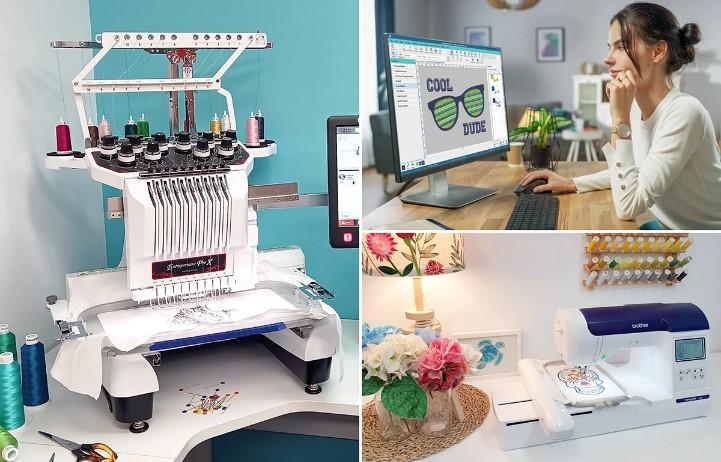
Convert an Image for Tajima Sai is the first and most important step if you want clean, professional embroidery results on Tajima machines. While images like JPG, PNG, or BMP may look perfect on your screen, embroidery machines don’t understand pixels—they only read stitch data. That’s where Tajima SAI software and proper digitizing come into play. When an image is converted correctly, your design stitches smoothly, holds its shape, and looks sharp on fabric instead of messy or uneven.
In this detailed guide, we’ll walk through everything you need to know about converting images for Tajima SAI, why professional digitizing matters, common mistakes to avoid, and how to get stitch-perfect results every time.
What Does It Mean to Convert an Image for Tajima Sai?
Converting an image for Tajima SAI means transforming a regular image file into a stitch-based embroidery file that Tajima embroidery machines can read. Tajima SAI is powerful embroidery digitizing software that allows users to manually or semi-automatically create embroidery designs with full control over stitches.
Instead of colors and pixels, the final embroidery file contains:
- Stitch types
- Stitch directions
- Density settings
- Underlay instructions
- Color sequence
This conversion ensures your embroidery machine knows exactly how to stitch your design.
Why Tajima SAI Is Popular in Professional Embroidery
Tajima SAI is widely used in commercial embroidery shops for good reason.
Key Advantages of Tajima SAI
- Excellent stitch control
- Supports DST and other Tajima formats
- Smooth handling of complex designs
- Reliable for high-speed production
- Ideal for logos, patches, and detailed artwork
However, even the best software can’t fix a poorly digitized design. The quality of the conversion process matters just as much as the tool itself.
Why You Can’t Use Images Directly on Tajima Machines
A common misconception is that embroidery machines can “print” images like printers do. In reality, embroidery machines stitch one thread at a time.
Problems with Using Images Without Proper Conversion
- Jagged edges
- Thread breaks
- Poor stitch coverage
- Fabric puckering
- Loss of small details
That’s why converting an image for Tajima SAI isn’t optional, it's essential.
Common Image Formats Used for Tajima SAI Conversion
Professional digitizers can work with almost any image format.
Supported Image Types
- JPG / JPEG
- PNG
- BMP
- TIFF
- AI or EPS (vector files)
Vector files usually convert more easily, but skilled digitizers can also optimize low-resolution images for embroidery.
Step-by-Step Process to Convert an Image for Tajima Sai
Understanding the process helps you appreciate why professional conversion delivers better results.
Step 1: Image Analysis and Cleanup
The image is reviewed for resolution, color count, and complexity. Backgrounds are removed, lines are sharpened, and unnecessary details are simplified.
Step 2: Manual Digitizing Setup
Instead of relying on auto-digitizing, professionals manually place stitches using Tajima SAI tools.
Step 3: Stitch Type Selection
Different areas of the design use different stitch types:
- Satin stitches for text and borders
- Fill stitches for large areas
- Running stitches for fine outlines
Step 4: Underlay Configuration
Underlay stitches stabilize the fabric and improve top stitch quality.
Step 5: Stitch Direction and Density Control
Correct stitch direction enhances texture and prevents distortion, while proper density avoids puckering.
Step 6: Testing and Adjustments
The design is tested digitally or on fabric to ensure smooth performance.
Importance of Underlay When Using Tajima SAI
Underlay stitches act as the foundation of your embroidery design.
Benefits of Proper Underlay
- Keeps fabric flat
- Improves stitch coverage
- Reduces thread breaks
- Enhances durability
Skipping or misusing underlay is one of the biggest reasons embroidery designs fail, even when they look good on screen.
Convert an Image for Tajima Sai for Logos
Logos are the most common designs converted for Tajima embroidery machines—and also the most challenging.
Logo Conversion Challenges
- Small lettering
- Fine lines
- Sharp corners
- Brand color accuracy
Professional digitizing ensures logos remain readable and consistent across hats, shirts, jackets, and patches.
Fabric Matters More Than You Think
A design that stitches perfectly on cotton may fail on knit or performance fabric.
Fabric-Specific Adjustments
- Cotton & Twill: Standard density and underlay
- Stretch Fabrics: Lighter density and flexible underlay
- Caps & Thick Materials: Strong underlay and adjusted stitch angles
When you convert an image for Tajima SAI properly, the fabric type is always considered.
Auto Digitizing vs Manual Digitizing in Tajima SAI
Auto-digitizing tools may save time, but they often sacrifice quality.
Problems with Auto Digitizing
- Excessive stitches
- Poor stitch flow
- Random stitch directions
- Increased machine downtime
Manual digitizing takes longer but produces clean, production-ready results that embroidery professionals rely on.
Common Mistakes to Avoid When Converting Images
Avoid these issues to save time, thread, and fabric.
- Using low-resolution images without cleanup
- Overloading stitch density
- Ignoring stitch direction
- Skipping test stitch-outs
- Not optimizing for fabric type
Professional digitizing eliminates these problems before production begins.
Who Needs Image Conversion for Tajima SAI?
This service is ideal for:
- Commercial embroidery shops
- Apparel brands
- Promotional product companies
- Tajima machine owners
- Designers creating stitch-ready artwork
If quality and consistency matter, proper conversion is non-negotiable.
Benefits of Professional Tajima SAI Conversion
Outsourcing image conversion saves time and improves results.
Key Benefits
- Clean, smooth stitching
- Fewer machine errors
- Faster production
- Consistent quality across orders
- Cost-effective for bulk embroidery
Instead of fixing flawed designs, you can focus on delivering great products.
Final Thoughts
Learning how to Convert an Image for Tajima Sai correctly is essential for achieving professional embroidery results. From logos and text to detailed artwork, proper conversion ensures your Tajima machine runs smoothly and your designs look sharp on every fabric.
For embroidery businesses and creators who want accuracy, efficiency, and stitch-perfect results, trusting experienced professionals makes all the difference and that’s exactly why so many embroiderers rely on Digitizing Buddy for Tajima SAI image conversion and expert embroidery digitizing services.

 English
 Arabic
 French
 Spanish
 Portuguese
 Turkish
 Dutch
Dutch
 Italiano
 Russian
 Romaian
 Portuguese (Brazil)
 Greek
Greek
